❄️ Challenge Story ❄️
FrostGuard is sending threats towards Cerulean Inc, mainly Jane’s PC—the Head of Production. What is this bot planning?
Scenario
You’re the lead security analyst at Cerulean Inc., a respected manufacturer of industrial control systems. Your SIEM alerts you to suspicious RDP connections to the Production Department—especially Jane’s PC (the head of the department). It was determined later on that the attacks were malicious. You are tasked to analyze the triage artifacts on her computer and investigate the RDP connections for possible exfiltration.
Reference Article: https://www.securityblue.team/blog/posts/investigating-insider-threats-rdp-activity-magnet-forensics
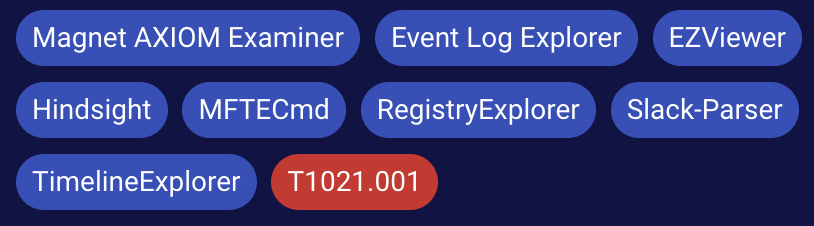
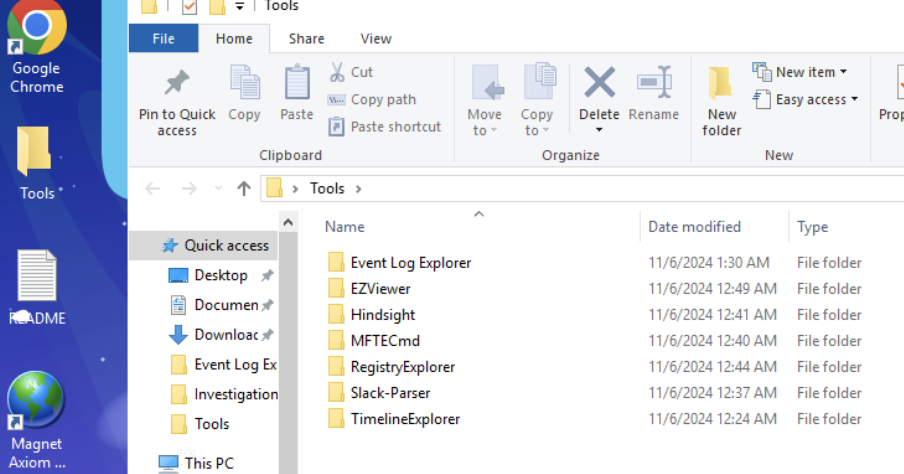
We have a lot of tools for use in this challenge.🥳
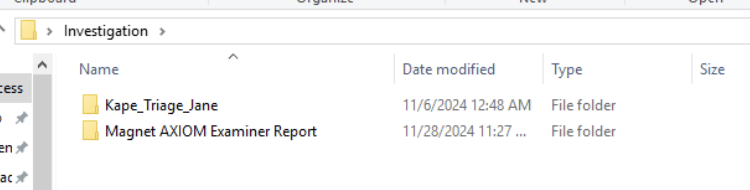
Evidence come with Triage from KAPE and Axiom Report.
Haha, I’m actually glad you gave me so many tools to use.
Question#1
- When did Jane receive the malicious mail from an attacker pretending to be from IT Support? Check the web history to help us better timeline the series of events. (Format: YYYY-MM-DD HH:MM:SS UTC) (1 points)
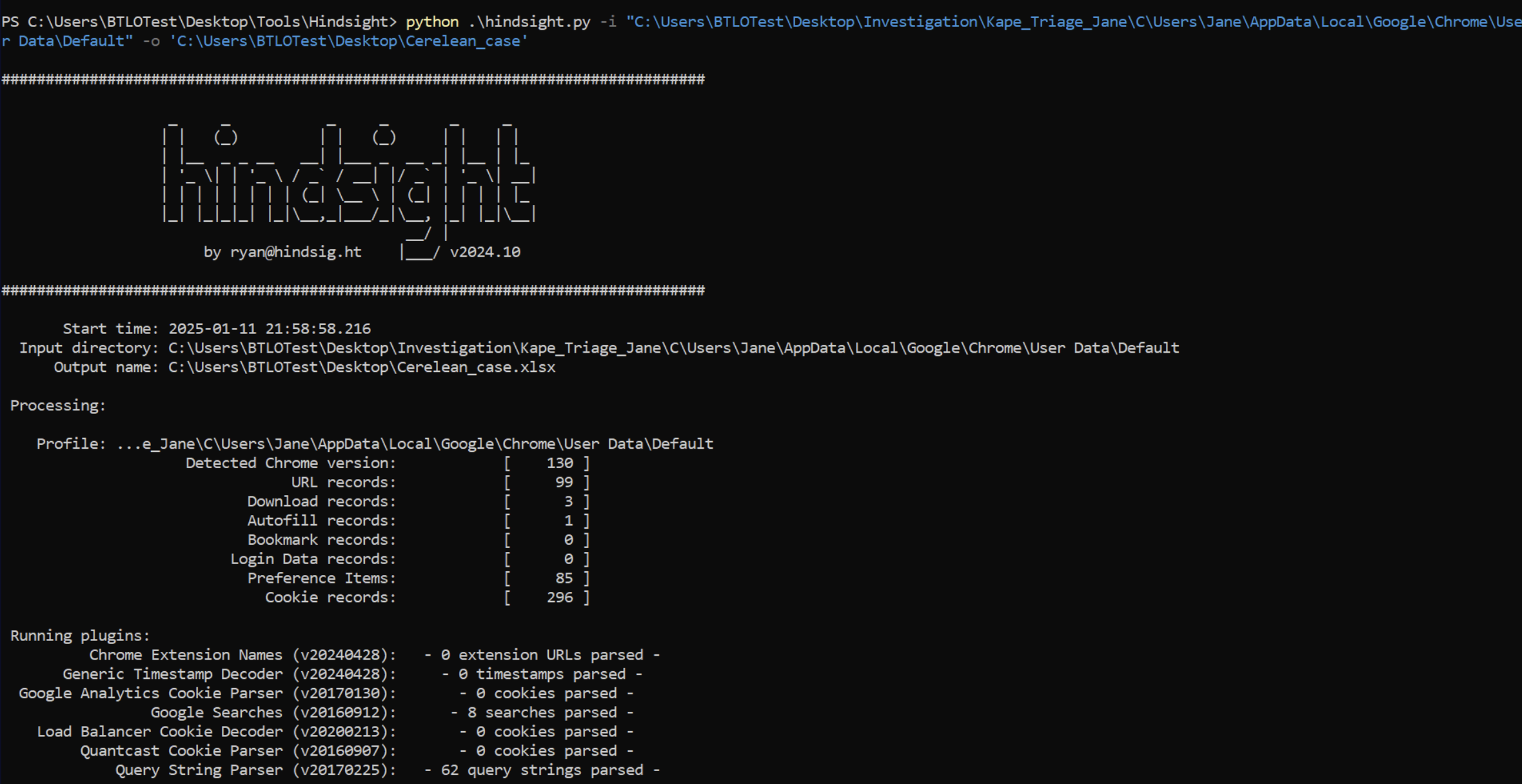
I use hindsight.py for find information from webhistory.
use -i option path …\Jane\AppData\Local\Google\Chrome\User Data\Default
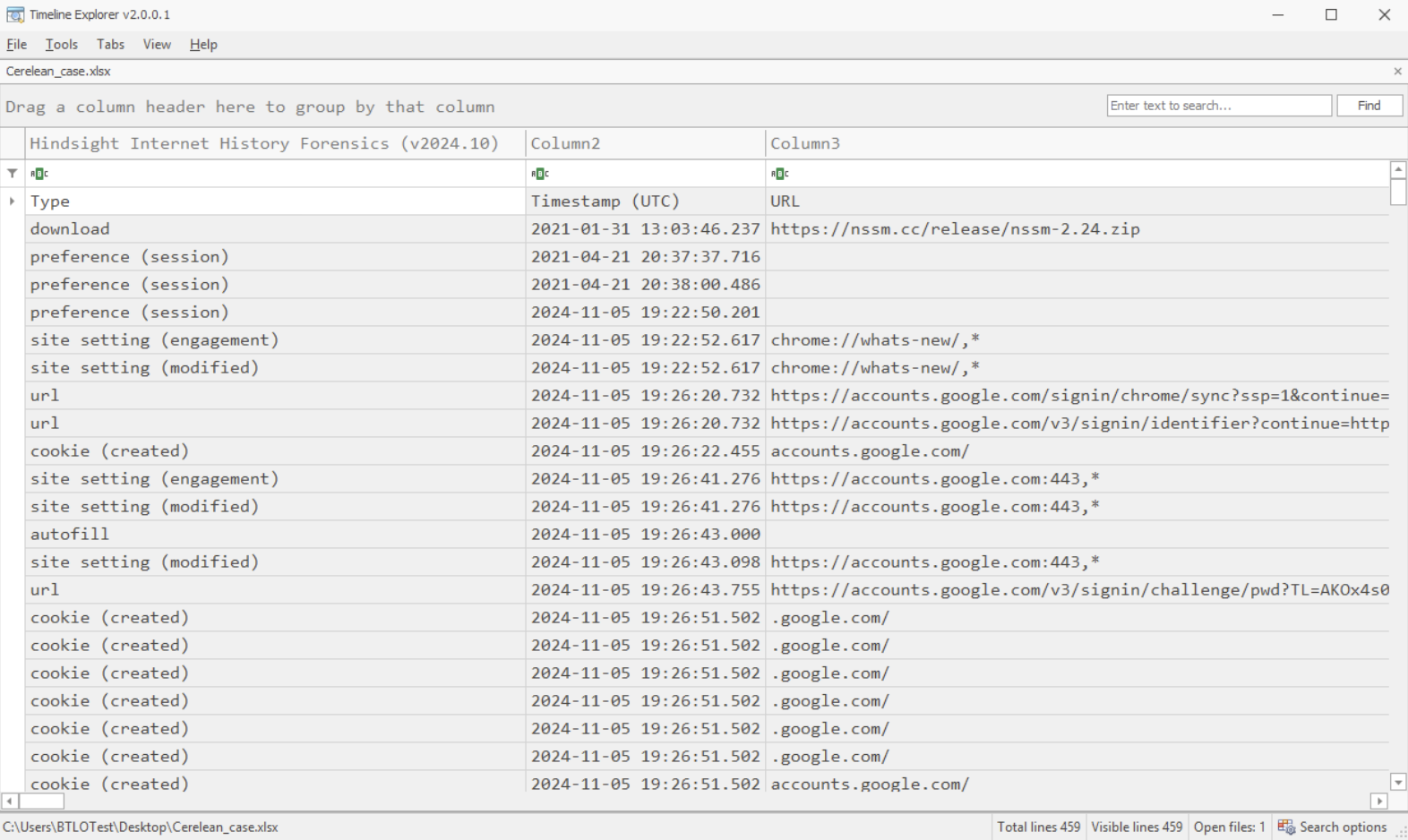
After get result file from hindsight, I use Timeline Explorer for find the answer.
It have a lot of information, I need to scope. try to search in subject column with “IT Support”.
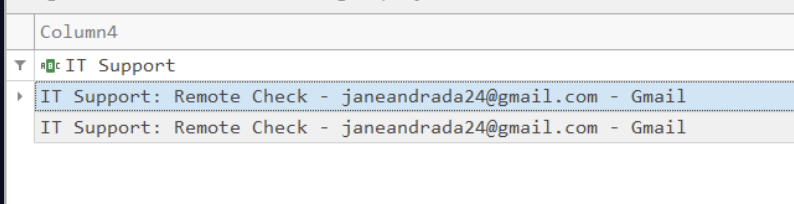
After search I found that email from IT support

Answer time from first email.
Question#2
- The threat actor immediately, after RDP’ing, tries to log into other storage-based resources. What is the one with the most traffic? (Format: Storage Name) (2 points)
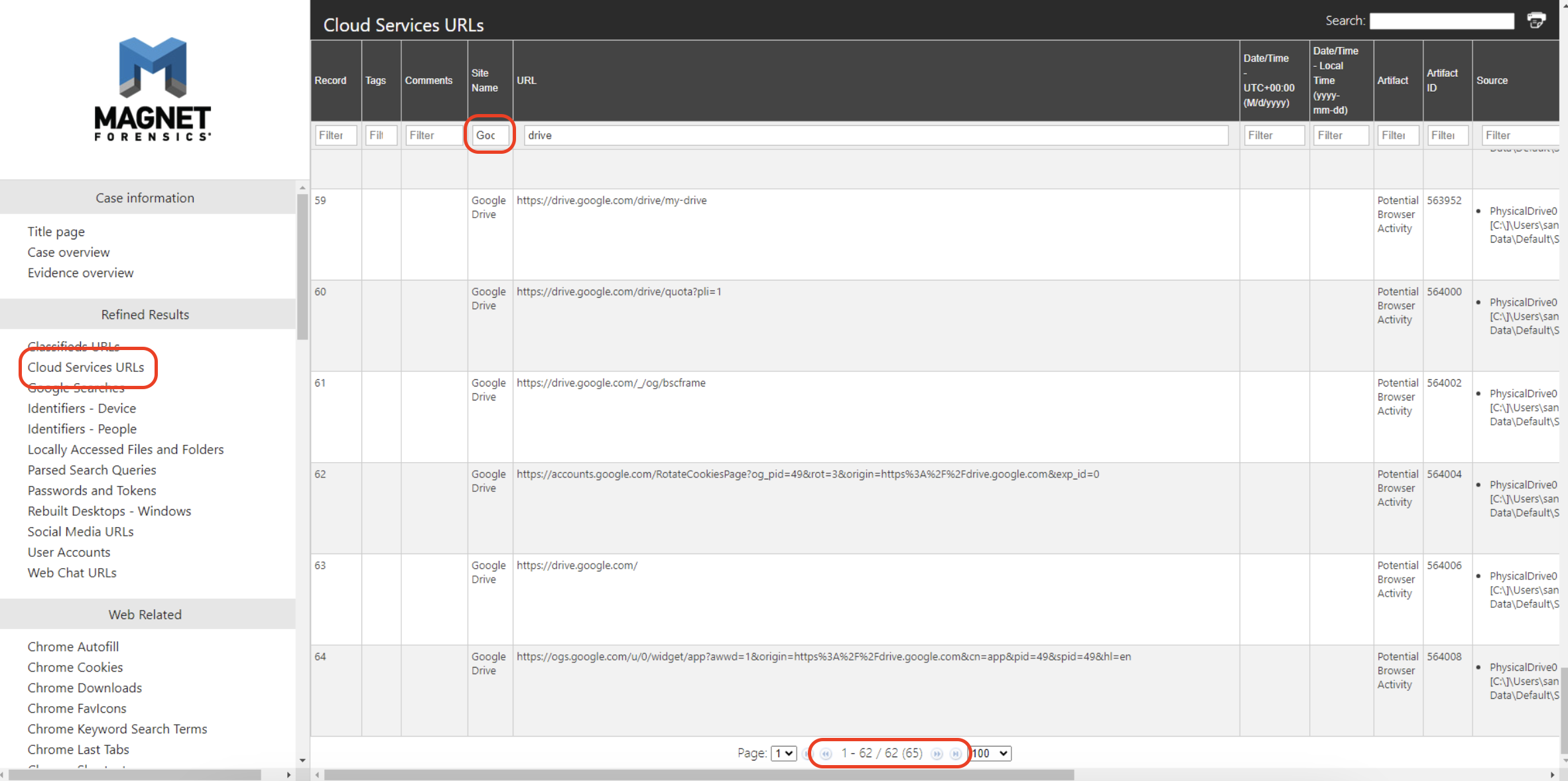
Time to use “Magnet AXOIM Examiner” to find more information.
This question asks us to find storage-based resources, of which there are only a few.
In this question, I found the information about accessing to cloud storage. Then I go to “Cloud Services URLs” and filter Site name
“Google Drive”. and see the result that most traffic shown.
Question#3
- It looks like the threat actor’s motive is data exfiltration via RDP. What ITM ID corresponds with this technique? (Format: XXXXX.XXX) (2 points)
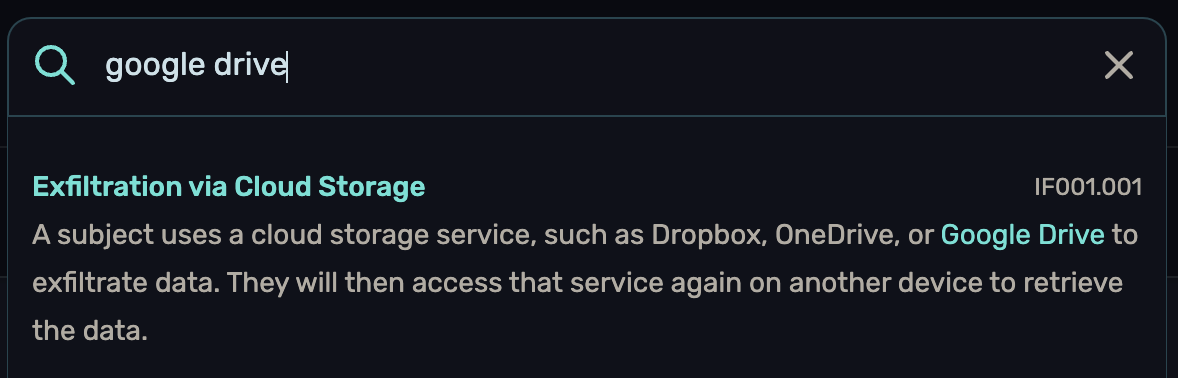
It seems like the only thing we know about now is that cloud storage was used to do something to Jane’s machine.
LOL I just try to search about “google drive”, and I found this.
Ref : https://insiderthreatmatrix.org/articles/AR4/sections/IF001/subsections/IF001.001
Question#4
- Let’s step back for a bit. Jane’s account mistakenly has admin rights. What role did they assign to her? (Format: Job Role (Title)) (2 points)
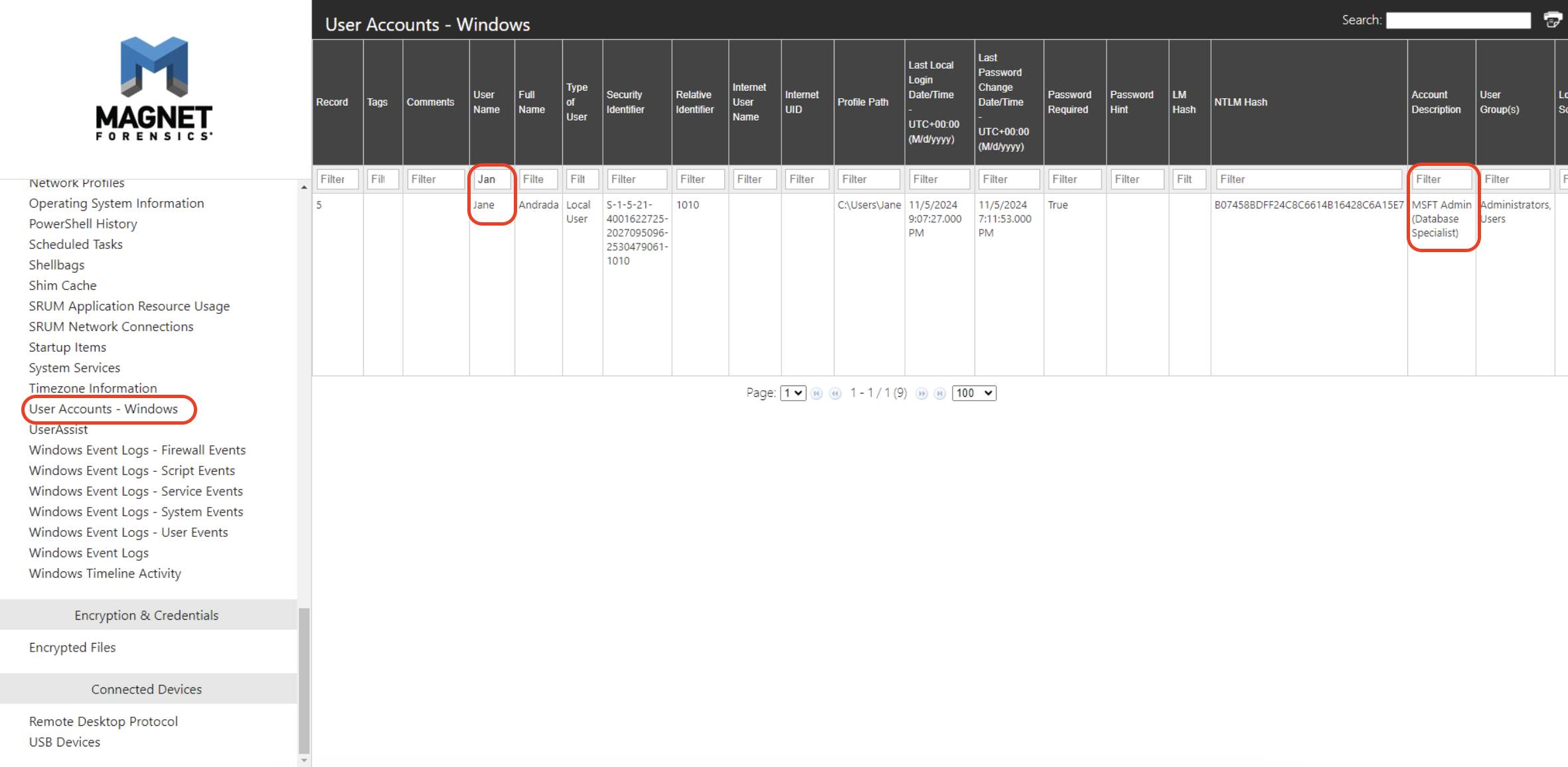
This question want us to find Jane job role, look at “User Account Windows” and filter Username only Jane, and I found Jane job role description.
Question#5
- It seems like she downloaded Slack before the RDP session. Our main point of communication is Teams, so this is strange. What is the installation date and time of this software? (Format: YYYY-MM-DD HH:MM:SS UTC) (2 points)
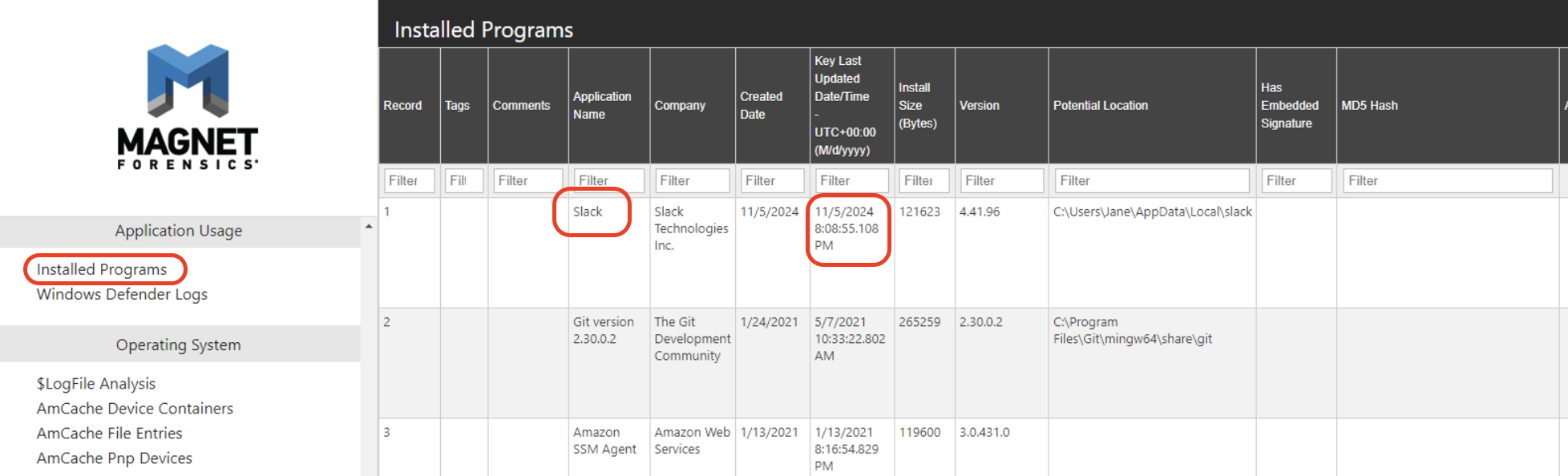
This question want us to find installation time of Slack, we can find information about installed program in the Axiom report. Check in “Installed Programs”, we gonna found that on the first record. Don’t forget to change time to UTC. (+12 hr. in this case)
Question#6
- There is enough evidence of Slack being used on Jane’s machine. Can you provide the unofficial URL being utilized for communication? (Format: hxxps://url.tld) (3 points)
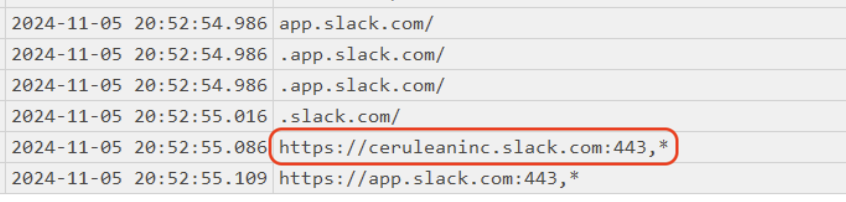
Comeback to find web history that relate with slack, I search subject with “slack” and I found only 1 URLs that look suspicious.
Question#7
Q7) Provide the initial time and Origin IP Address for the RDP connections to Jane’s workstation. (Format: MM/D/YYYY H:MM:SSS XX UTC, XXX[.]XXX[.]XXX[.]XXX) (4 points)
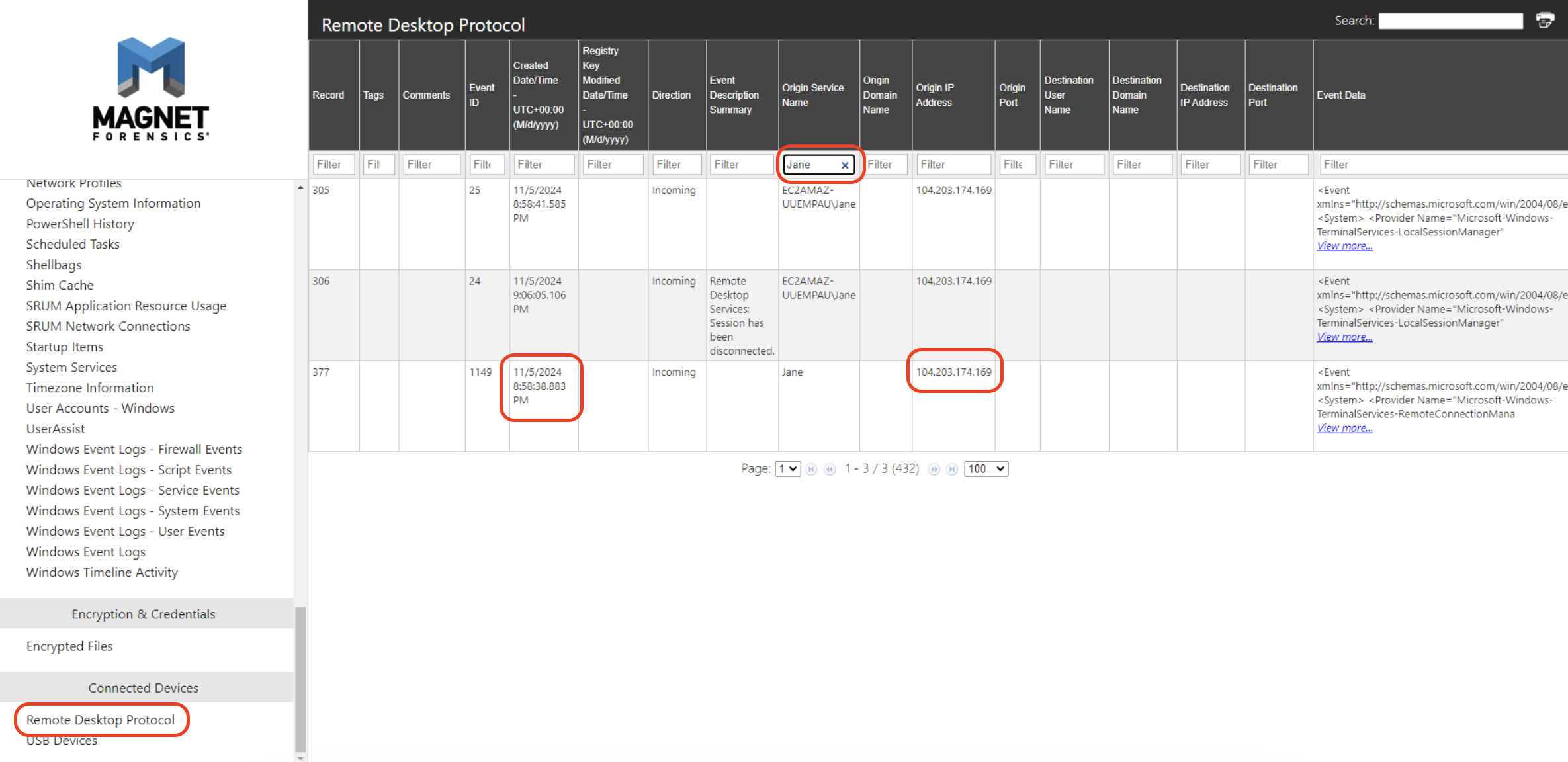
Then back to Axiom report again, find information about RDP connections, filter Jane in “Origin Service Name”. And looking for first connection.
Question#8
Q8) Our Project Venus plans were leaked, triggering the defenses. What are the four documents in alphabetical order? (Hint: examine the Windows Defender Logs) (Tip: remove ‘project venus’ and ‘cerulean’ from the document names). (Format: Doc1, Doc2, Doc3, Doc4) (9 points)
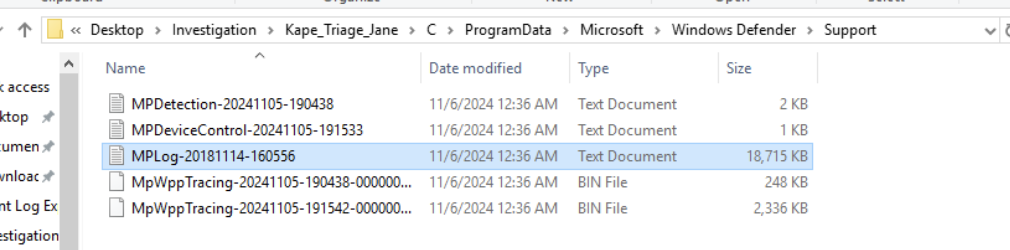
This question need us to find trigger information in Windows Defender Logs, we need to find “MPlog” in Windows Defender folder.
Path : ../../ProgramData/Microsoft/Windows Defender/Support
Ref : https://www.crowdstrike.com/en-us/blog/how-to-use-microsoft-protection-logging-for-forensic-investigations/
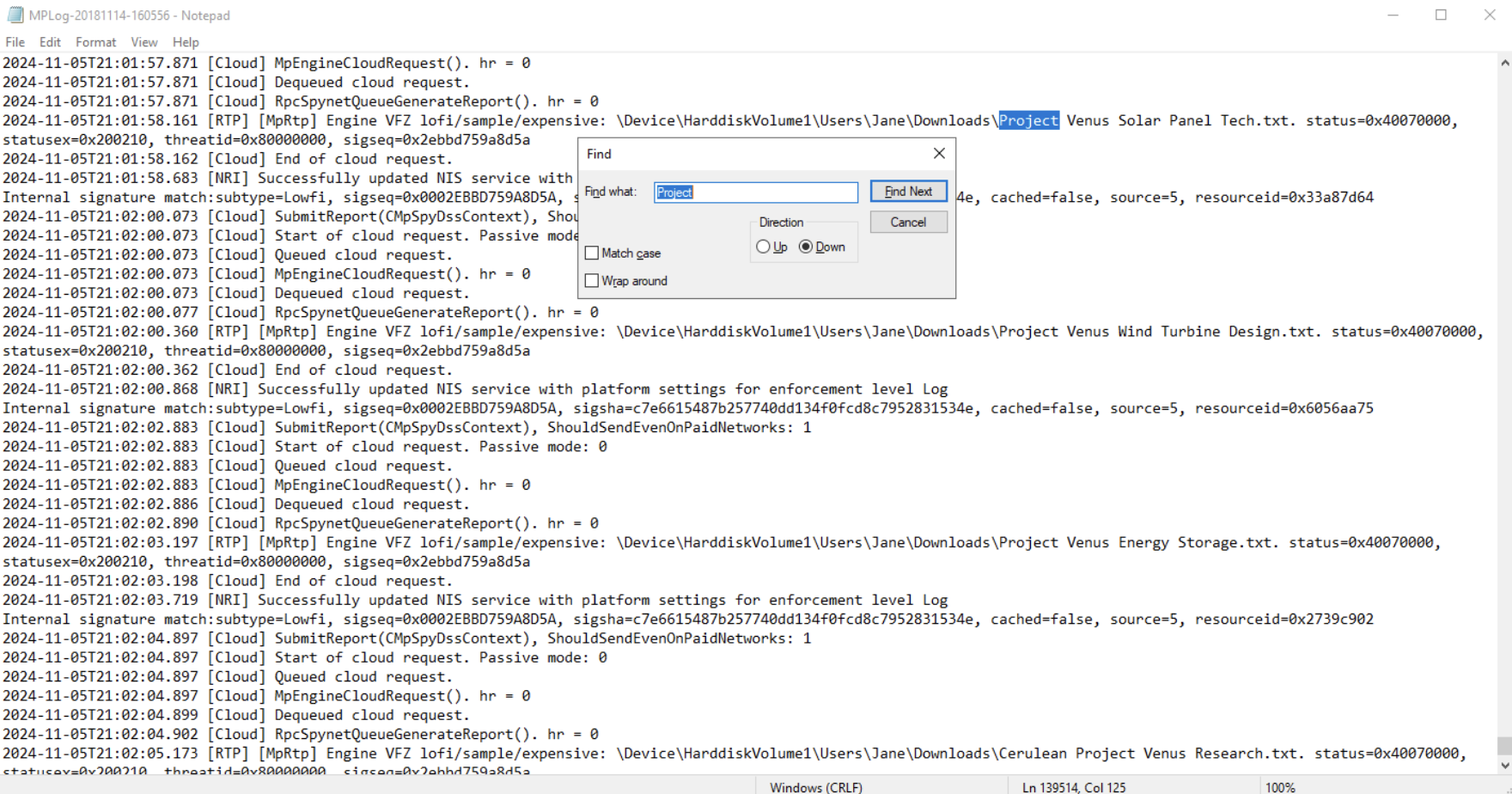
try to search with “project”
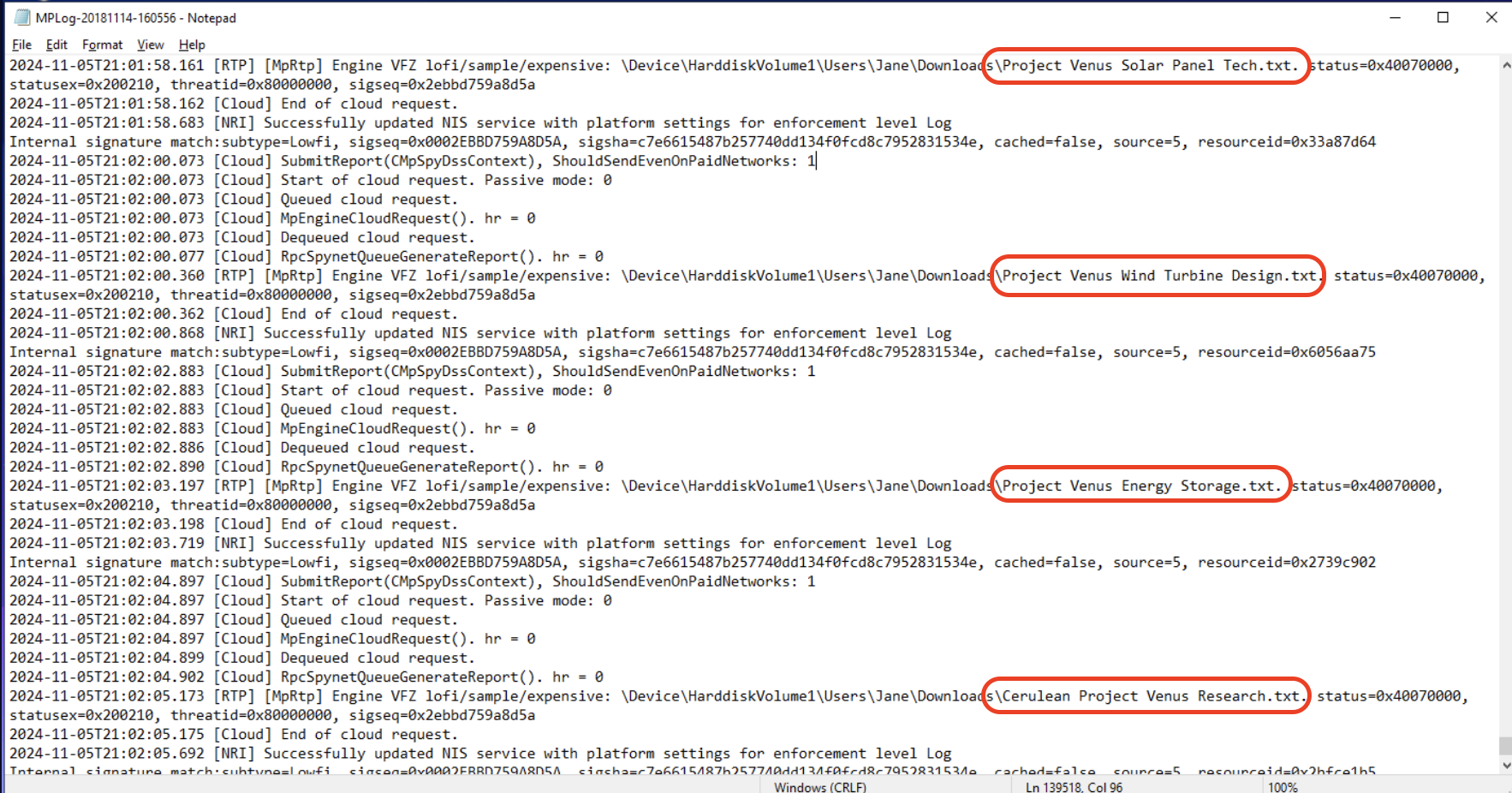
Don’t forget to remove ‘project venus’ and ‘cerulean’ and answer with alphabetical order.
End

Mirthz
Thank you everyone for reading.😽